Three steps to zero manual errors
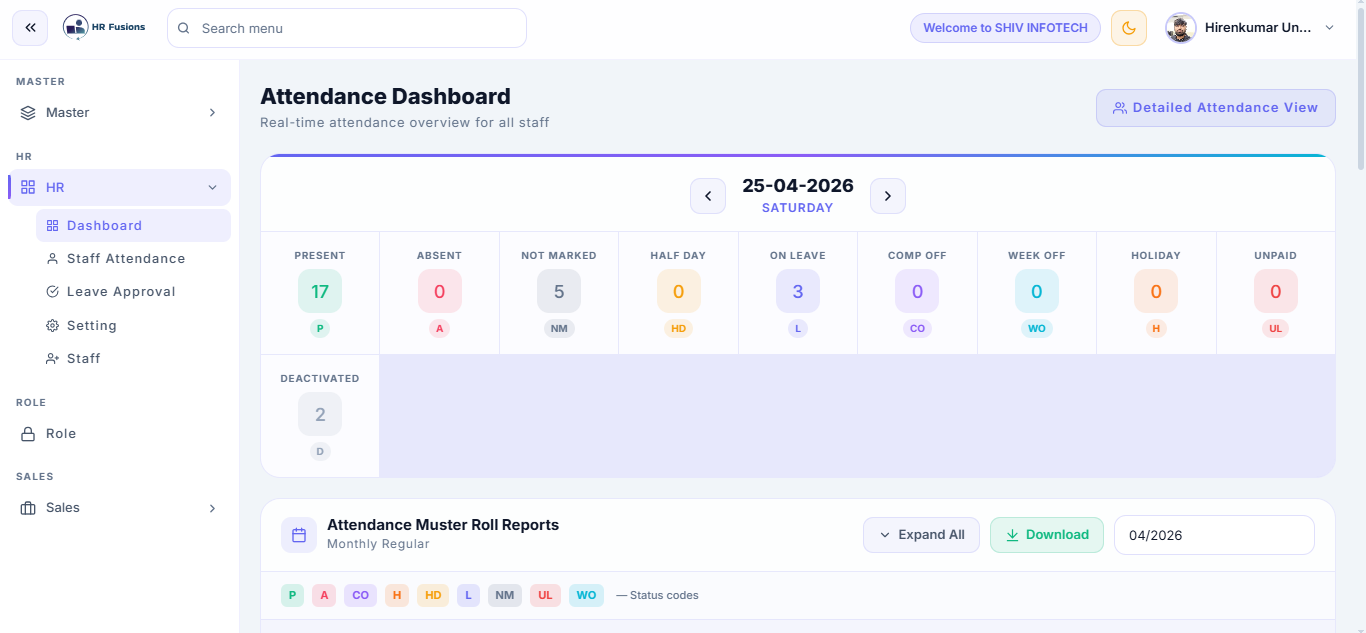
Live Attendance Dashboard
Animated stat cards show Present, Absent, Half Day, and On Leave counts in real time. Navigate by date, view the full muster roll, and export to PDF or Excel in one click.
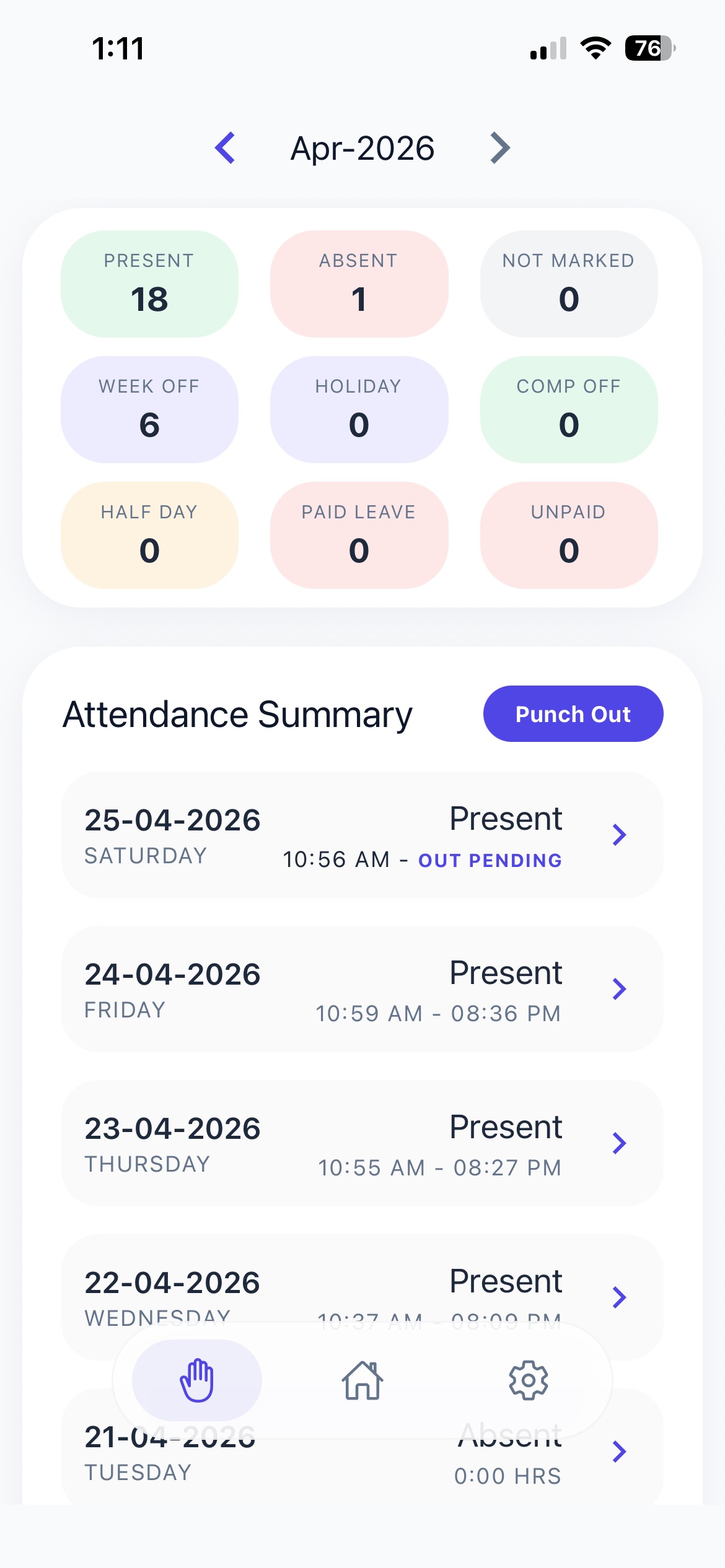
One-Click Status Marking
Mark Present, Absent, Half Day, Leave, Comp Off, or Week Off directly from the staff card. Shift info is pre-filled, notes can be added, and every change is logged in the audit trail.
Attendance Approval Workflow
Correction requests are grouped by month with pending count badges. Bulk-select across months and approve or reject with the floating action bar — no individual clicks needed.
 1.jfif)
Everything you need to track attendance
Date Navigator
Jump to any date instantly. View attendance for past or future dates with a single tap.
Muster Roll Export
Generate full muster rolls for any date range and export as PDF or Excel.
Comp Off Tracking
Track compensatory offs earned and consumed per employee automatically.
Attendance Notes
Add context to any attendance entry — reason for absence, late arrival notes, etc.
Audit Logs
Every attendance change is logged with timestamp, user, and before/after values.
Shift Info in Modals
Shift details are pre-loaded in every attendance modal — no manual lookup needed.
Old way vs HR Fusions
Common questions
Does HR Fusions require any biometric hardware?
No. HR Fusions uses your employees' existing smartphones for face recognition and GPS — no biometric machines or additional hardware required.
Can I track attendance across multiple office locations?
Yes. HR Fusions supports multi-center attendance tracking. Each center has its own data view, and managers can switch between centers from a single login.
How does the attendance approval workflow work?
Employees submit correction requests which are grouped by month. Managers can bulk-select and approve or reject multiple requests at once using the floating action bar.
Can I export attendance reports to Excel or PDF?
Absolutely. You can generate muster rolls and attendance reports for any date range and export them as PDF or Excel with a single click.
Track Attendance Smarter —
Start Free Today
Join businesses across India using HR Fusions to eliminate manual attendance forever.